We’ve updated our homepage design based on our members’ feedback to put a map front and center. It makes sense that Chicago Cityscape visitors are first presented with an interactive map, given our dependence on using maps to explore neighborhood and property data.
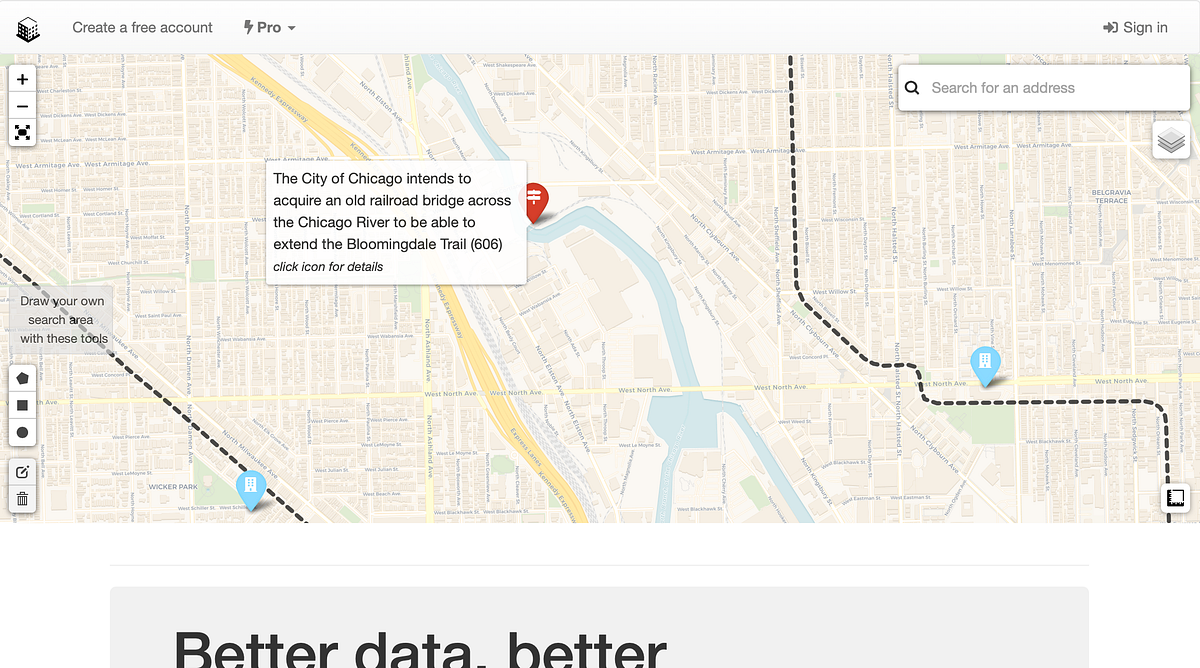
- Using the new homepage design, members can immediately start exploring what’s being built in Chicago. Blue markers show new construction projects. Red markers and black dashed lines indicate upcoming public investments and developments — this is the first time we’ve shown these on a map.
- Our “Personal Place” drawing tools are also on the homepage, giving members quicker access to looking for data in custom boundaries. Click on the pentagon, square, and circle to draw a shape; this creates a “Personal Place” in which you can look at properties, business licenses, and more.
- Finally, a search bar on the map shows your address or building name search result instantly. Alternatively, right-click on the map to get an Address Snapshot.